1ecomm headless commerce / @1ecomm/cli
One command, one store ID, a shop that sells.
1ecomm init asks for a store ID, checks it against the live platform before
it asks anything else, and writes a themed storefront wired to real catalog, real stock and
real prices.
Getting started
You need Node 20.19 or newer and a store ID. Nothing else — no account file, no key, no config to prepare.
# scaffold, install and run, in one go
$ npm create @1ecomm/storefront@latest my-shop

# or drive the CLI directly
$ npx @1ecomm/cli init my-shop
The store ID lives in your 1Ecomm workspace under Applications. It is a UUID, it identifies a store rather than a person, and it is not a secret — it is designed to sit in a config file you commit.
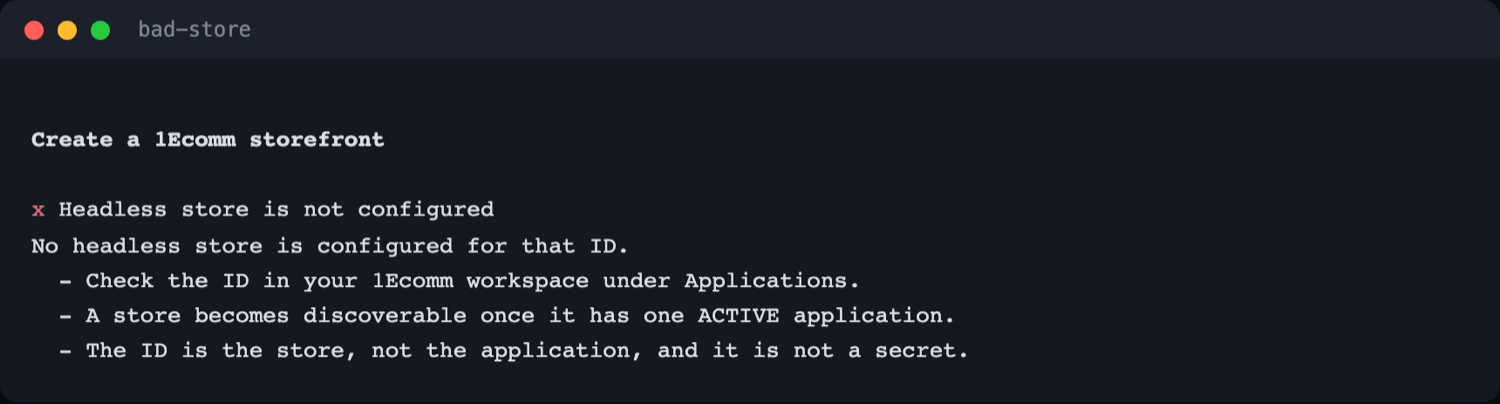
A store becomes discoverable once it has one active application. If the CLI says the store is not configured, that is usually the missing piece rather than a typo.
The conversation
Six questions. The first one is answered by the platform, not by you — which is the whole design.
Store ID, checked live
The store ID is asked first and validated before the second question is asked. A wrong ID costs you one prompt instead of a scaffolded project that installs, builds, and only then fails in the browser.

The platform answers back
Two checks run before anything is written. The bootstrap call says the store exists and what it is permitted to do; one authenticated catalog read says what actually works. They disagree often enough to be worth the round trip.
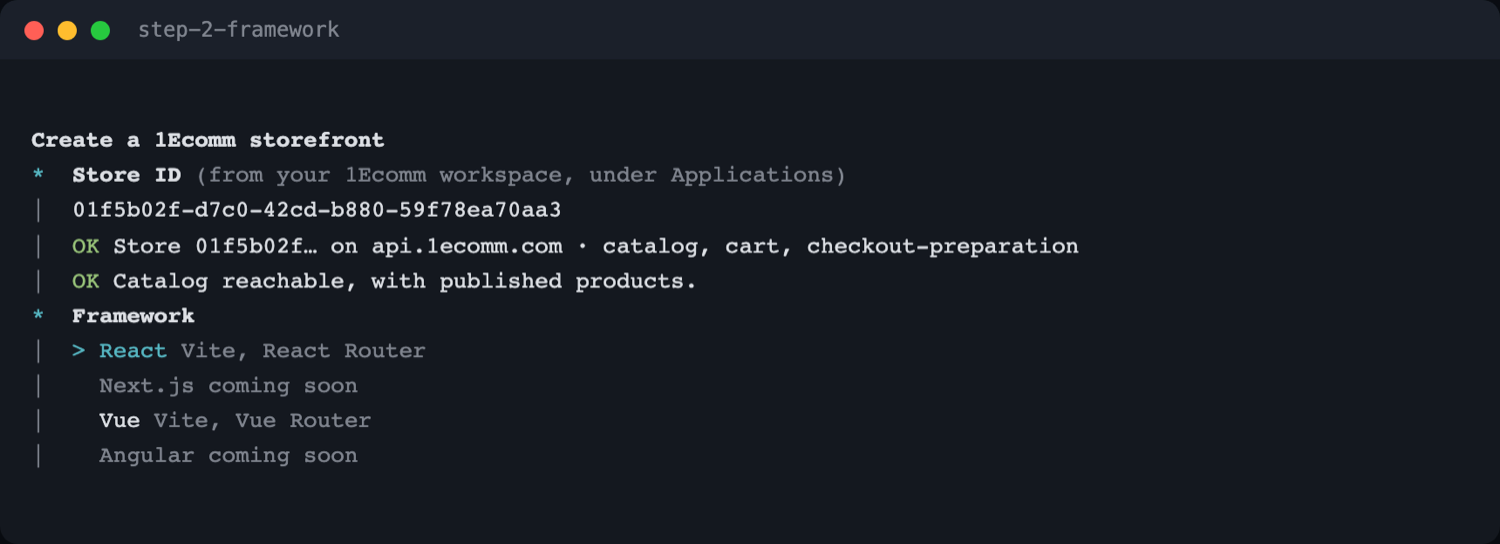
Pick a framework
React and Vue are built. Next.js and Angular appear in the list as coming soon and cannot be selected — declared rather than silently missing, so you know the list is complete.
Pick a colour, rendered as itself
All 24 dt-ui palettes, drawn as true-colour swatches in your terminal. The colour you see in the list is the colour the storefront paints.
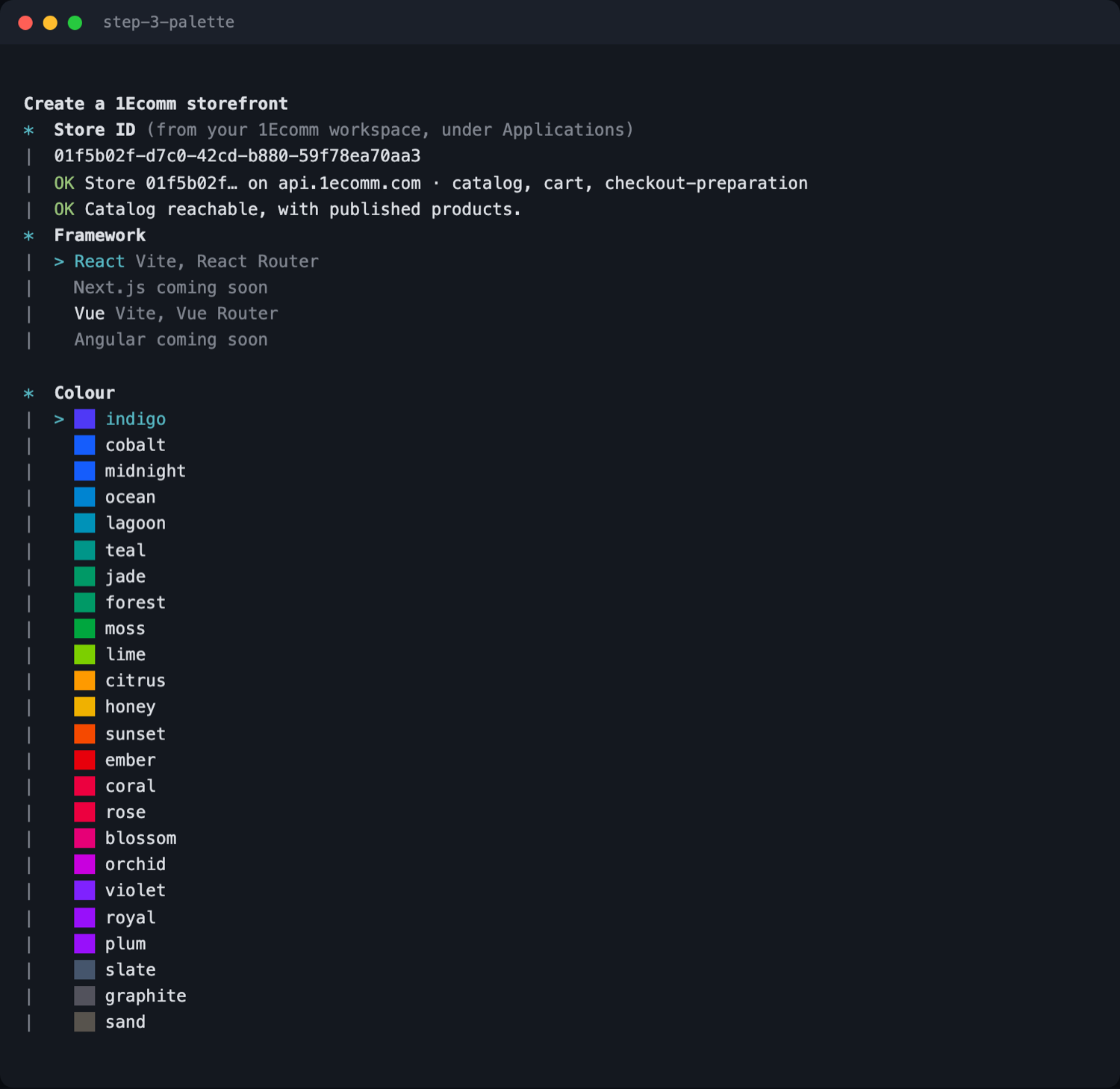
- indigo
- cobalt
- midnight
- ocean
- lagoon
- teal
- jade
- forest
- moss
- lime
- citrus
- honey
- sunset
- ember
- coral
- rose
- blossom
- orchid
- violet
- royal
- plum
- slate
- graphite
- sand
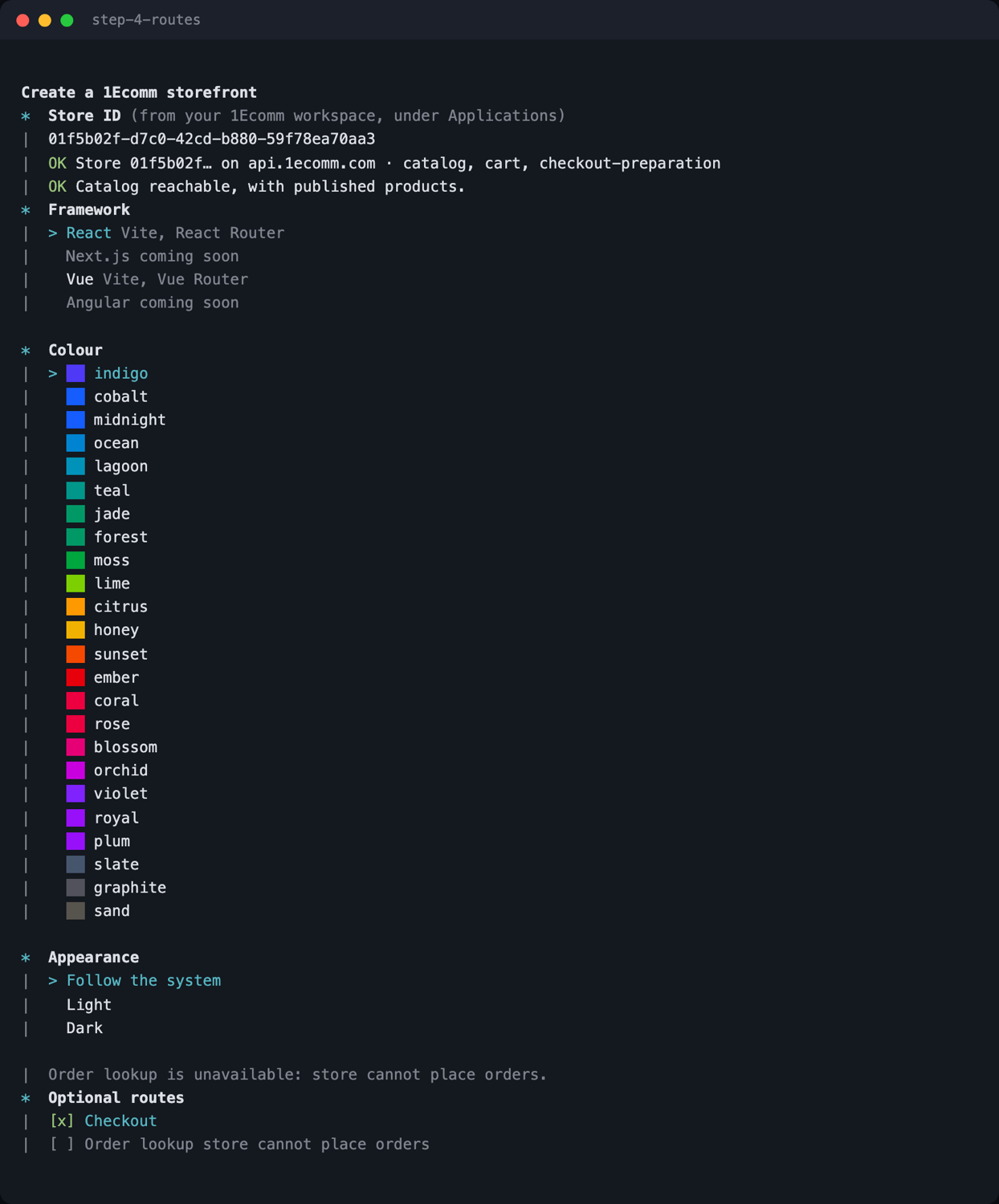
Routes you are allowed to have
Optional routes are offered only where the store can serve them. On the store below,
Order lookup is greyed out and the reason is printed: the store has no
orders capability. You are not given a page that can only fail.
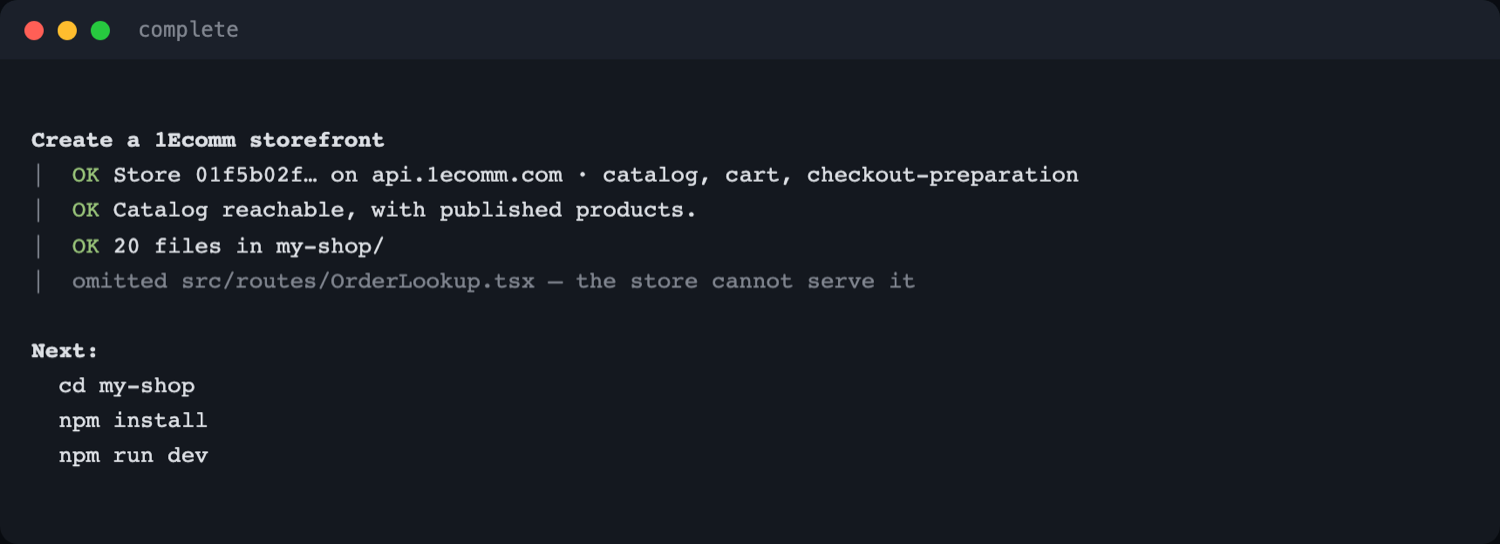
Install and run
Choose a package manager, let it install, and the CLI prints exactly what to do next in the manager you picked. Every omitted route is named rather than silently dropped.
What you get
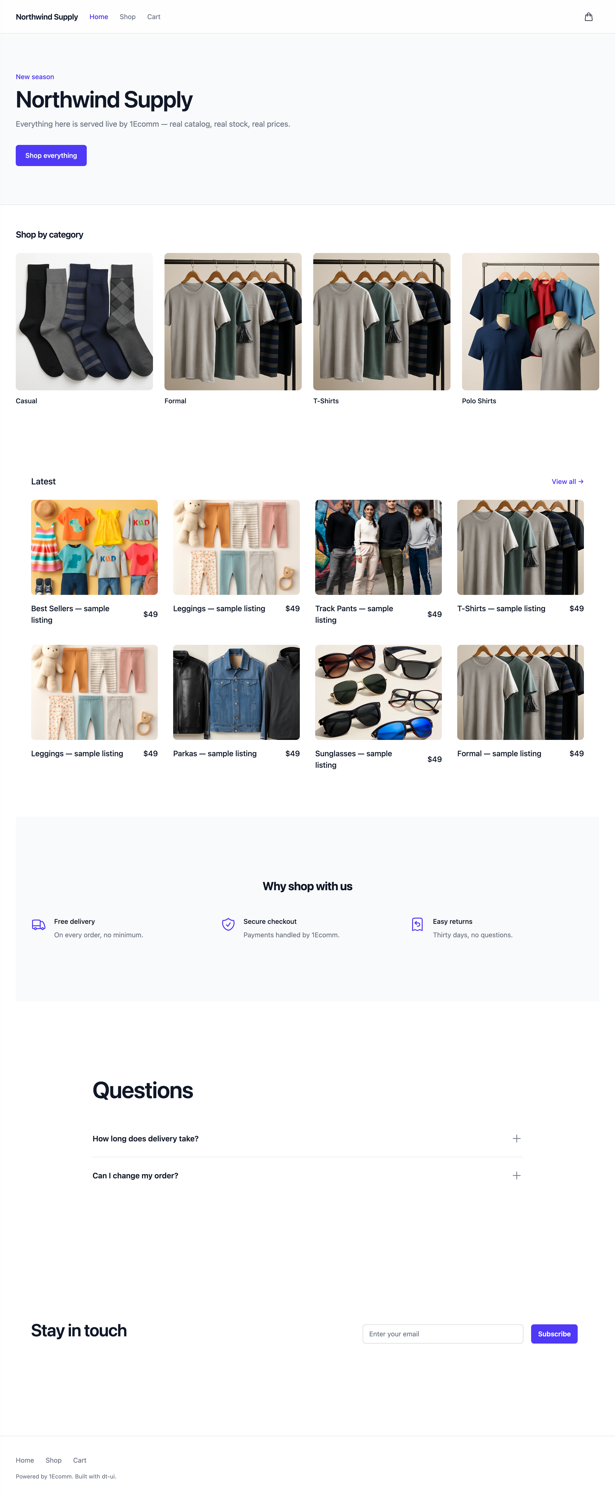
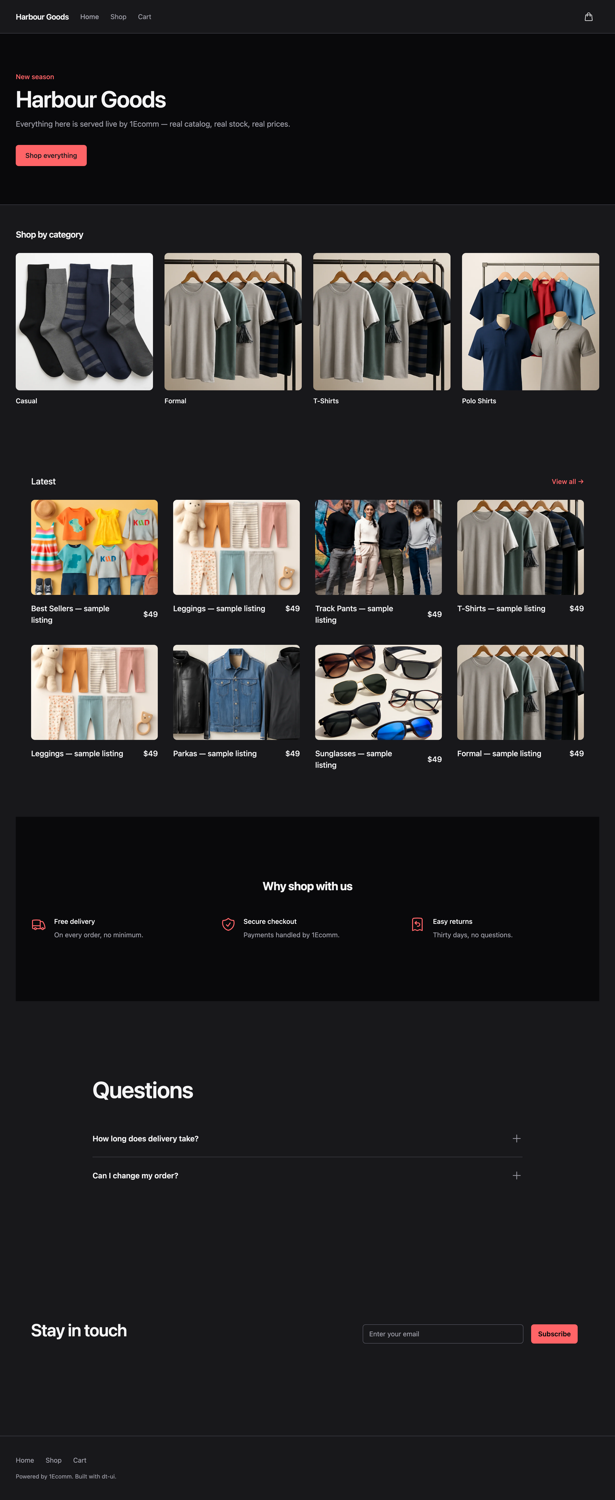
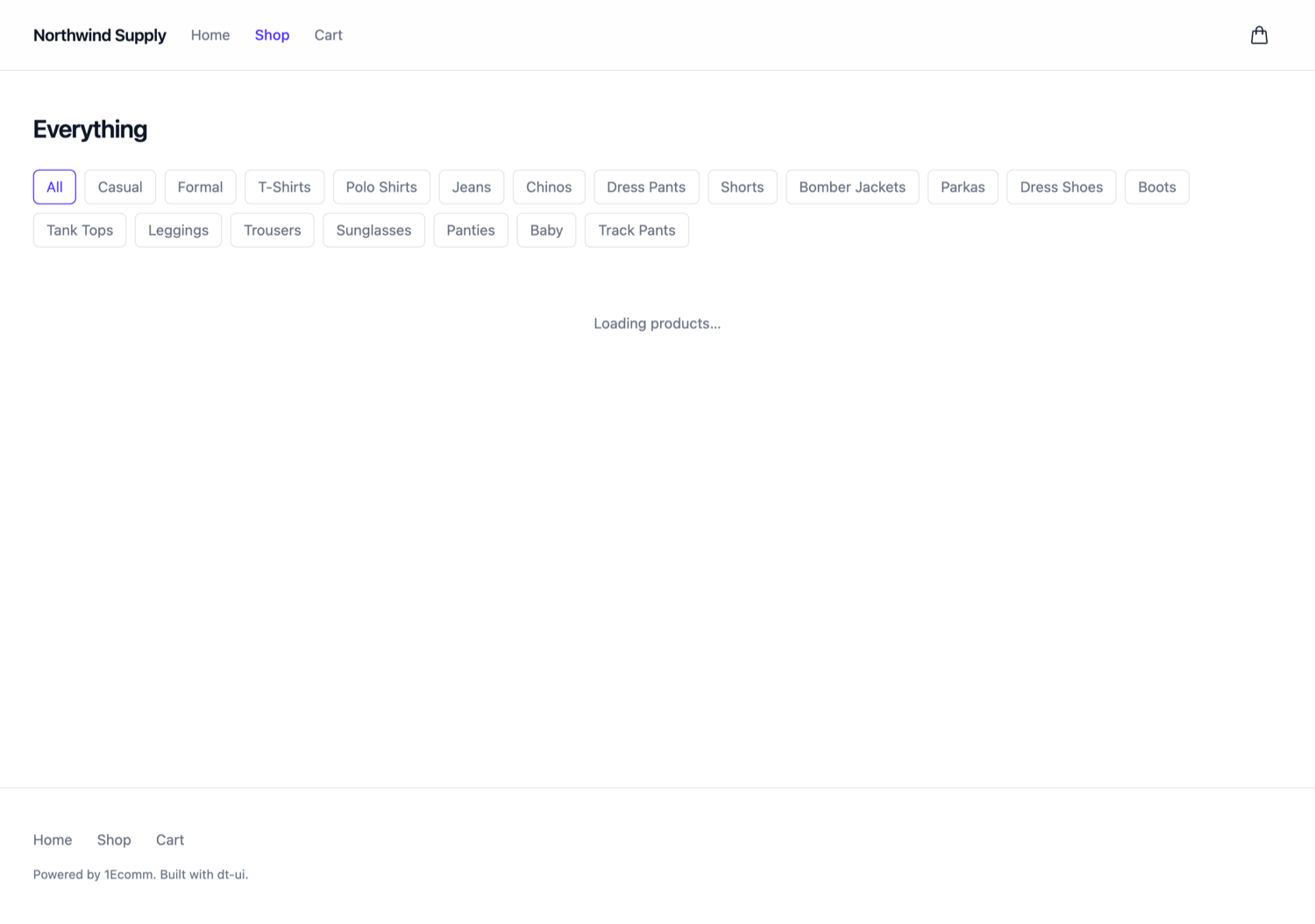
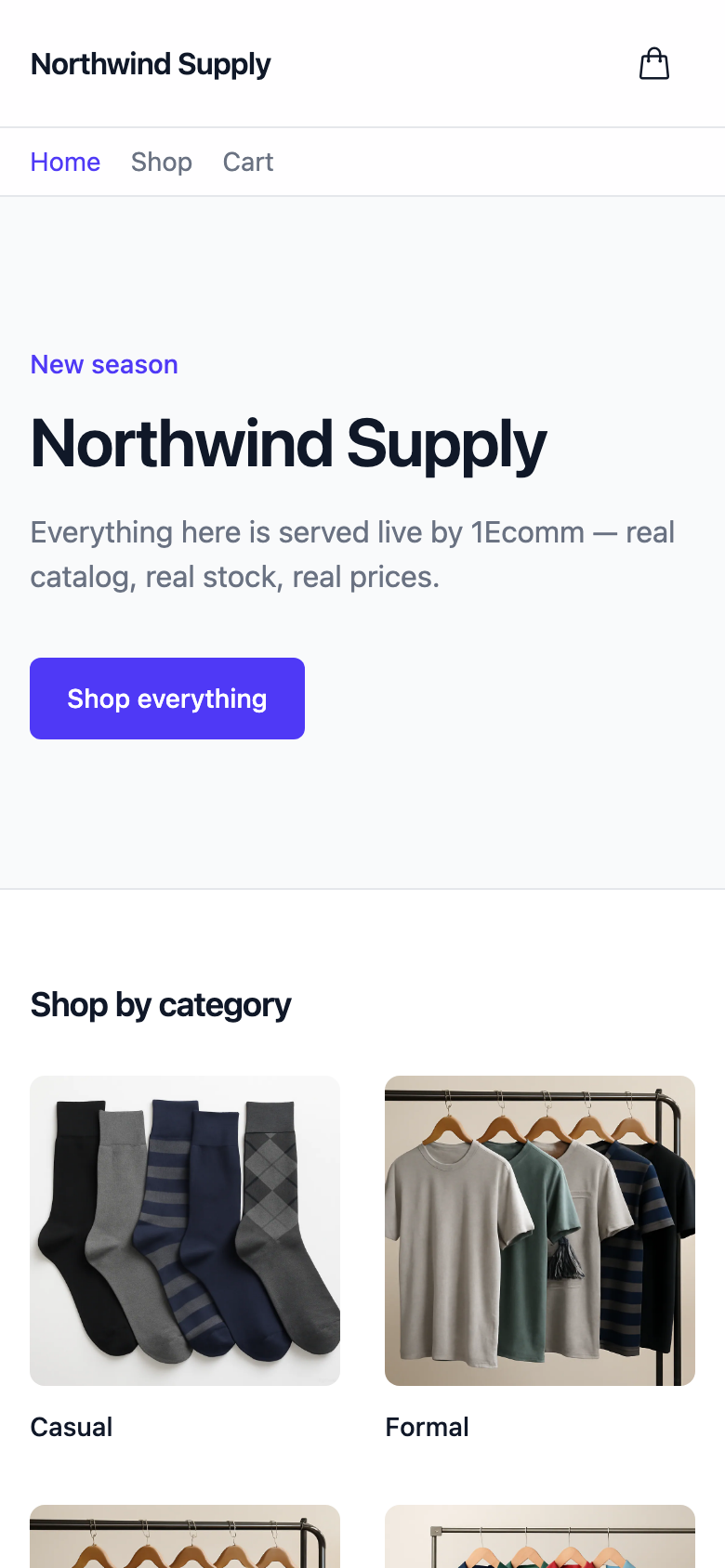
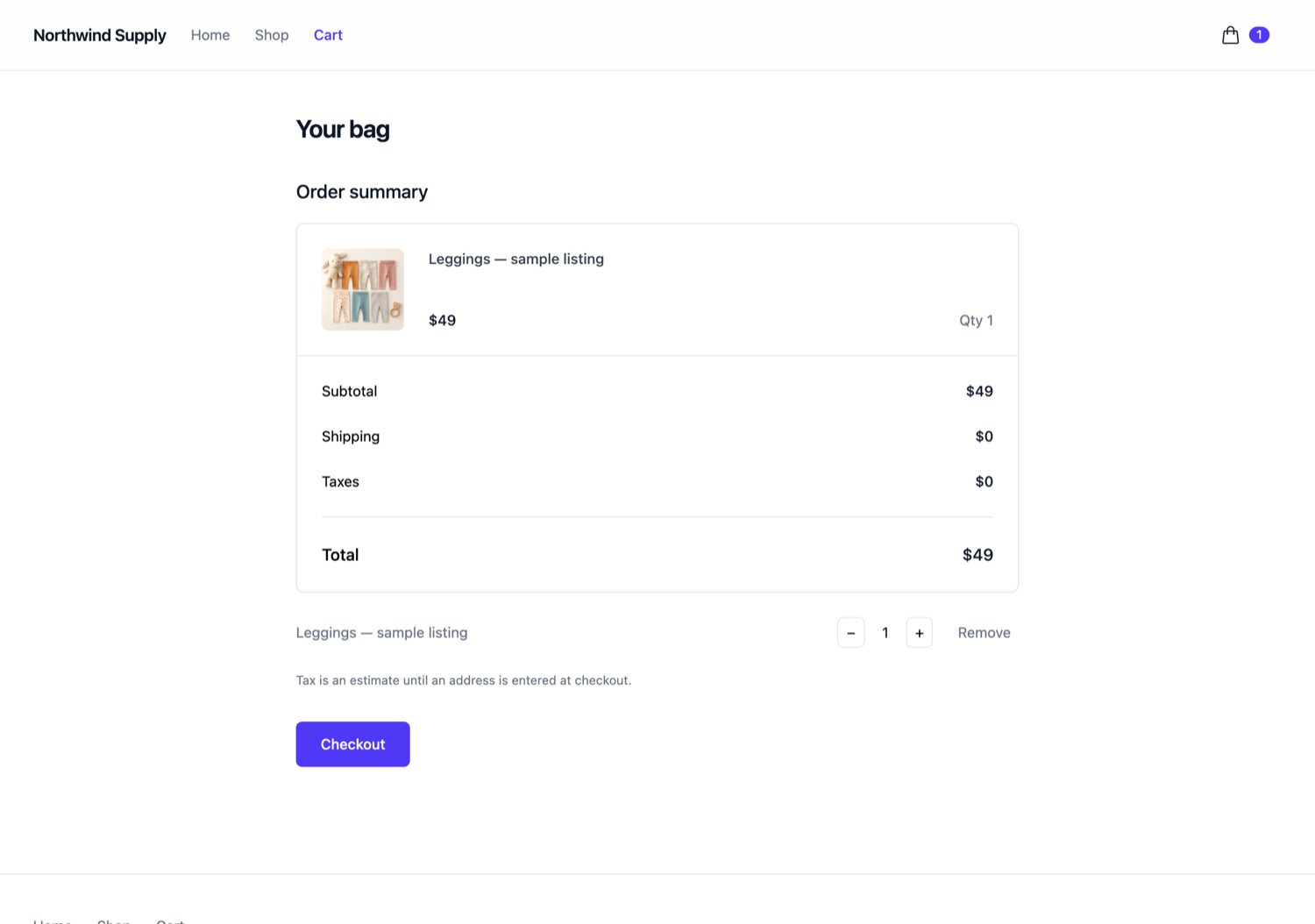
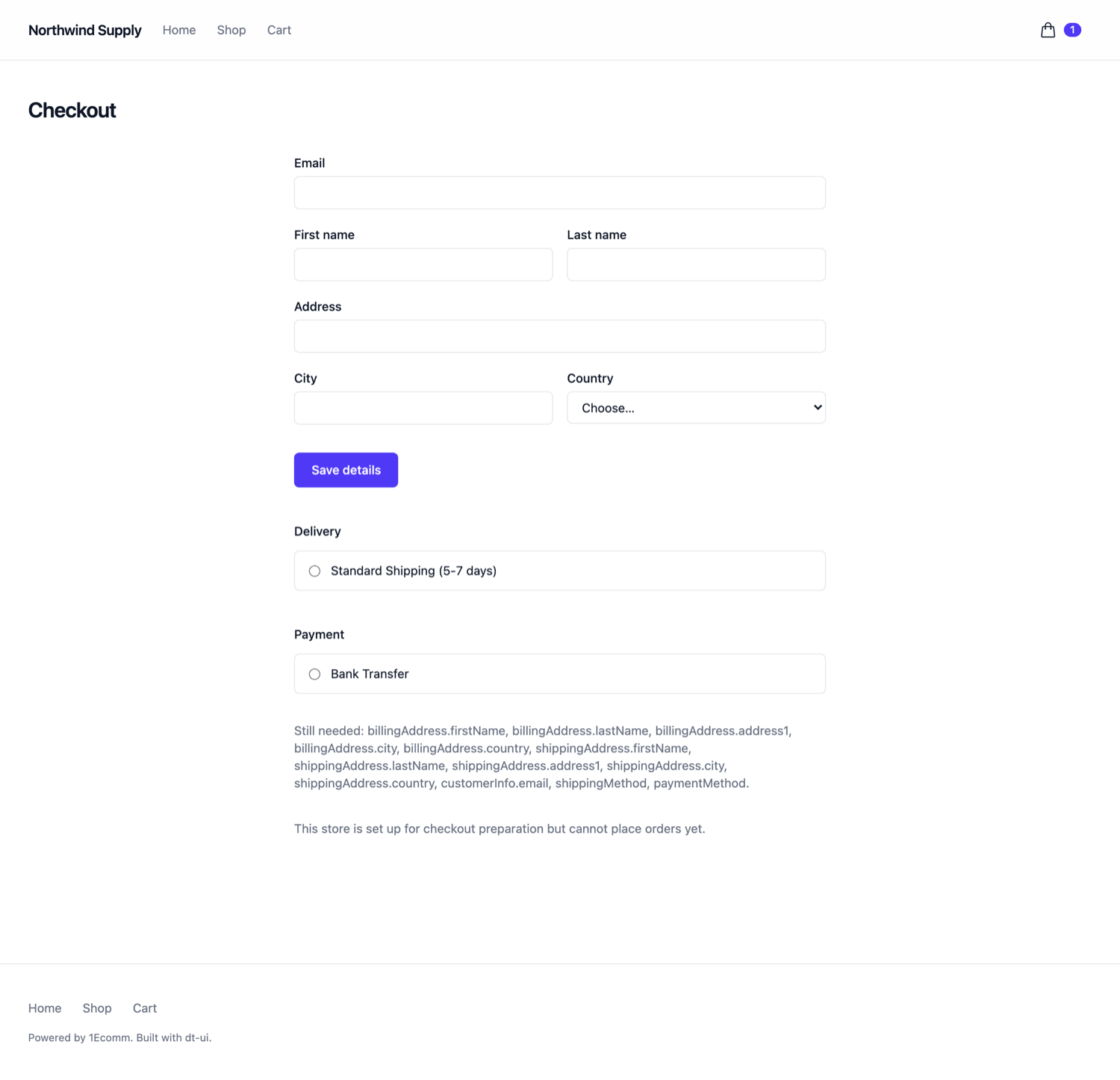
A storefront, not a catalog demo. Every screenshot below is a generated project running
against api.1ecomm.com — the products, prices, images and stock are the
store's own.
<html>, not a rebuild.
Why there is no API key
Most scaffolders ask you to paste a key. This one does not, because the platform already answers the question:
GET /v1/headless/stores/{storeId}/config

→ { storeId, apiUrl, publishableKey, apiVersion, capabilities[] }
The publishable key, the API URL and the capability list are all discovered from the store ID. So the only thing written into your project is this:
// headless-config.json — the whole file
{
  "storeId": "01f5b02f-d7c0-42cd-b880-59f78ea70aa3",
  "bootstrapUrl": "https://api.1ecomm.com"
}
Nothing secret reaches the generated project, there is no key to rotate in a committed file, and a test asserts that no publishable key appears in any generated file.
Routes follow capabilities
A store's application carries a capability list. The CLI reads it and scaffolds accordingly, because a checkout page on a store that cannot check out is worse than no page.
| capability | You get | Without it |
|---|---|---|
| catalog | Home, category listing, product pages | The CLI refuses — a storefront with no catalog has nothing to show |
| cart | Cart route, header count, add to bag | Browse-only storefront; no cart link in the header |
| checkout-preparation | Checkout route with address, delivery and payment | The cart says checkout is not configured, and links nowhere |
| orders | Order lookup route, and the place-order button | No /orders route is written at all |
If an application loses a capability after you scaffolded,
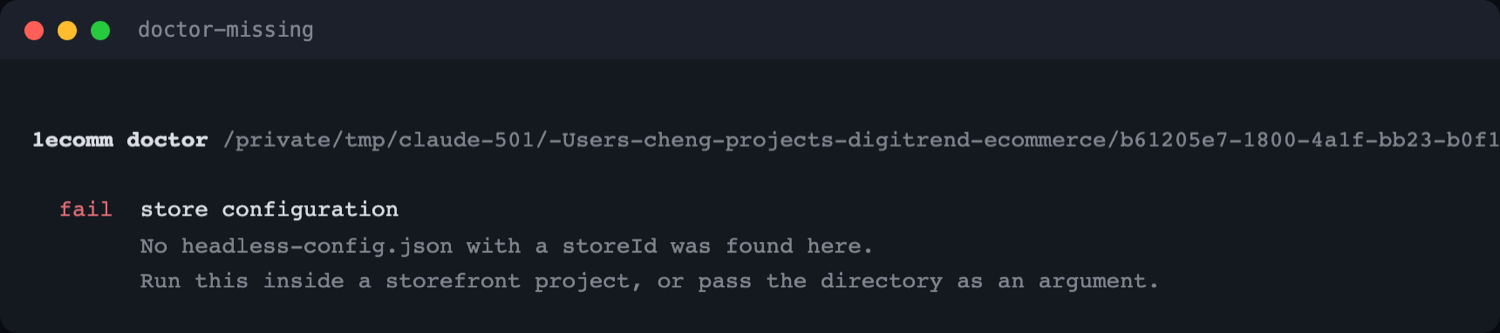
1ecomm doctor is what tells you — it compares the routes
in your project against what the store can serve today.
The variant gate
This is the part most hand-written storefronts get wrong, so the generated one handles it for you.
A product with options cannot be added to a cart without a variantId. The
platform refuses, correctly, with a message that names nothing:
POST /v1/headless/carts/current/items
      { productId, quantity }          ← no variantId

→ HTTP 400  "Cart mutation could not be completed"
So the product page resolves the variants first, and the button says which choice is still outstanding rather than letting you press it and fail.
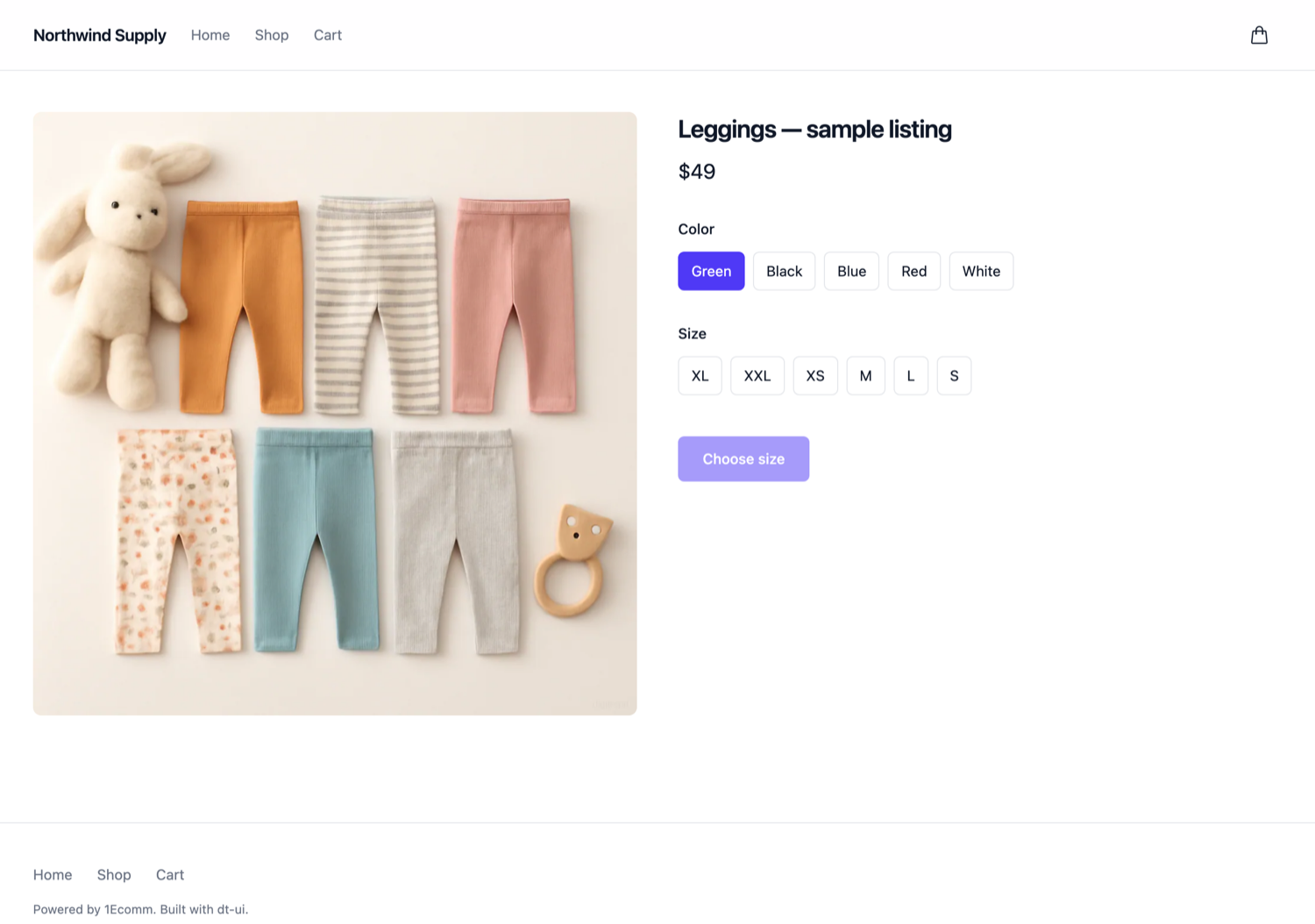
The gate distinguishes four states, and says a different thing in each:
- Loading options — the variants are still in flight, so the button cannot be pressed yet.
- Choose colour and size — nothing picked; every outstanding axis is named.
- Out of stock — a real combination, with no stock.
- That combination is unavailable — no such variant exists.
The first of those states exists because of a real defect: while the variants were still loading the list was empty, an empty list means "nothing to choose", and the button rendered a working Add to bag for a product that required a variant. A shopper quick enough to press it got the 400 above.
Flags and scripting
Every prompt has a flag, so the whole thing runs unattended. Without a TTY the CLI refuses rather than hangs — a CI job that waits forever is worse than one that fails.
$ 1ecomm init my-shop \
    --store-id 01f5b02f-d7c0-42cd-b880-59f78ea70aa3 \
    --framework react \
    --palette jade \
    --appearance system \
    --package-manager pnpm \
-y --install --no-start| flag | Values | Default under -y |
|---|---|---|
| --store-id | a UUID | required |
| --framework | react · vue | react |
| --palette | any of the 24 | indigo |
| --appearance | light · dark · system | system |
| --package-manager | npm · pnpm · yarn · bun | npm |
| --bootstrap-url | platform origin | api.1ecomm.com |
| --install / --no-install | install without asking | install |
| --start / --no-start | run the dev server after install | no-start |
Every flag is checked before the first question, so a mistyped palette costs you
nothing. Exit codes are real: 0 on success, 1 on refusal,
130 on Ctrl-C.
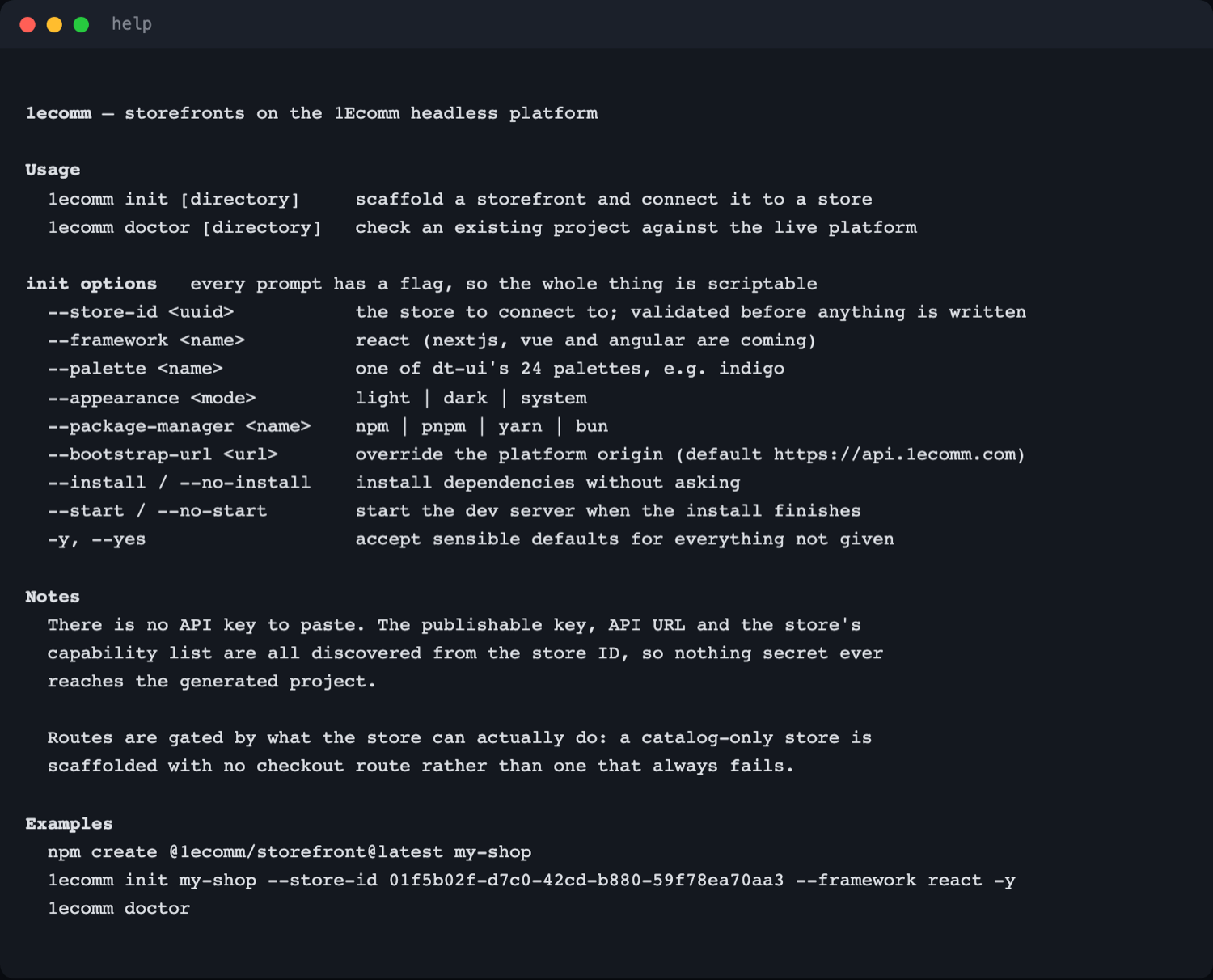
1ecomm --help. The notes section is the part worth reading twice.1ecomm doctor
Run it in a project that has stopped working. It catches the failure the CLI cannot prevent: a capability revoked after you scaffolded.
$ 1ecomm doctor

  ok    configuration found (headless-config.json)
  ok    store resolves at api.1ecomm.com (API v1)
  ok    capabilities: catalog, cart, checkout-preparation
  ok    catalog read (1 product returned)

Everything checks out.
It checks four things in order, and each answers a different question: is there a project,
does the store resolve, what is it permitted to do, and does a real authenticated read
actually succeed. It exits 1 when any check fails, so it works in a script.
What it refuses, and why
Refusals are the part of a CLI you meet when something is wrong, so they carry the reason
and the way out. Nothing is half-written: a refused init leaves no directory
behind.
| You did | It says | exit |
|---|---|---|
| Gave an unprovisioned store ID | Not configured, plus three things to check | 1 |
| Mistyped a palette | Names your typo and lists all 24 real palettes | 1 |
| Asked for Angular | "Not available yet", and which frameworks are | 1 |
| Pointed at a non-empty directory | Refuses rather than merging into your files | 1 |
| Used a name npm would reject | Explains the naming rule | 1 |
| Ran with no TTY and no flags | Refuses immediately rather than hanging | 1 |
| Could not reach the platform | Names the network, not your store ID | 1 |

When the platform is down
The generated storefront fails closed. It never falls back to sample products — a shop that quietly shows fake stock is worse than one that says it is unavailable.

Inside the project
It is ordinary code. Nothing is hidden behind the CLI, and there is no eject step.
my-shop/
├── headless-config.json     the store ID, and nothing else
├── index.html               data-dt-palette + data-dt-theme live here
└── src/
    ├── lib/commerce.ts      typed client: catalog, cart, checkout, orders
    ├── lib/adapt.ts         API shapes → dt-ui contracts, and the variant gate
    ├── store.tsx            bootstrap once, then fail closed
    ├── components/          header, footer, category tiles — yours to edit
    └── routes/              Home, Category, Product, Cart, Checkout
Changing the look
The palette and appearance are two attributes on <html>. Swap them and
the whole storefront repaints — no rebuild, no component edits.
<html data-dt-palette="ember" data-dt-theme="dark">The shell is yours
dt-ui has no header, footer or hero component yet, so those are written into the project rather than imported. They use only dt-ui's semantic tokens, so they repalette with everything else — and they are the first thing most merchants rebrand anyway.
How this was verified
Every screenshot above is a real run against the production API. Nothing here is a mockup.
- Unit tests
- 62scaffolder, platform client, adapter, CLI process
- Browser tests
- 211four real builds, live platform, 1 legitimate skip
- Mutations caught
- 9each break turned the suites red; a control change did not
The end-to-end suite scaffolds four projects through the CLI, installs them from the public npm registry, builds them, serves each on its own port and drives them with Chromium. Nothing is linked and nothing is mocked: if the published packages cannot install and compile in a clean project, the suite fails before a single test runs.
One spec suite drives both frameworks. It contains no framework-specific code — it addresses
everything through data-testid, which is why the React and Vue templates agree
on them.
Both suites were watched failing. The instructive case is the price conversion:
Intl.NumberFormat coerces a numeric string, so an unconverted price
renders correctly and no browser assertion can catch it. A unit test does — which is
why both layers exist.
Limits, stated plainly
-
No order has been placed. The demo store has no
orderscapability, so the place-order path is gated out and unexercised. - Hosted payment is not implemented. A payment method that requires a provider's hosted page is detected and declined by the template, not completed.
- React and Vue only. Next.js and Angular are declared in the prompt and disabled, rather than silently absent.
- dt-ui has no storefront shell. Header, footer, hero, product overview, shopping cart, category filters and order history are composed in the project. They work and they repalette; they are not yet library components.
-
The
jadepalette fails WCAG AA contrast. The same markup passes on indigo and ember and fails on jade, in both frameworks. dt-ui ships 24 palettes and its own accessibility gate never varies the palette, so 23 have never been contrast-tested.